As a happy owner of a lovely Macbook Air with only 512 GB SSD, and using it heavily for games and app development, I constantly face the issue when I’m greeted with the “YOUR MAC HAS NO MORE FREE SPACE DO SOMETHING” message.
I used LLM agents to categorize the space usage, which helped a lot in finding some movie I downloaded a while ago and forgot about it, or heavy iOS simulator for some old iOS version that Xcode downloaded by whatever reason.
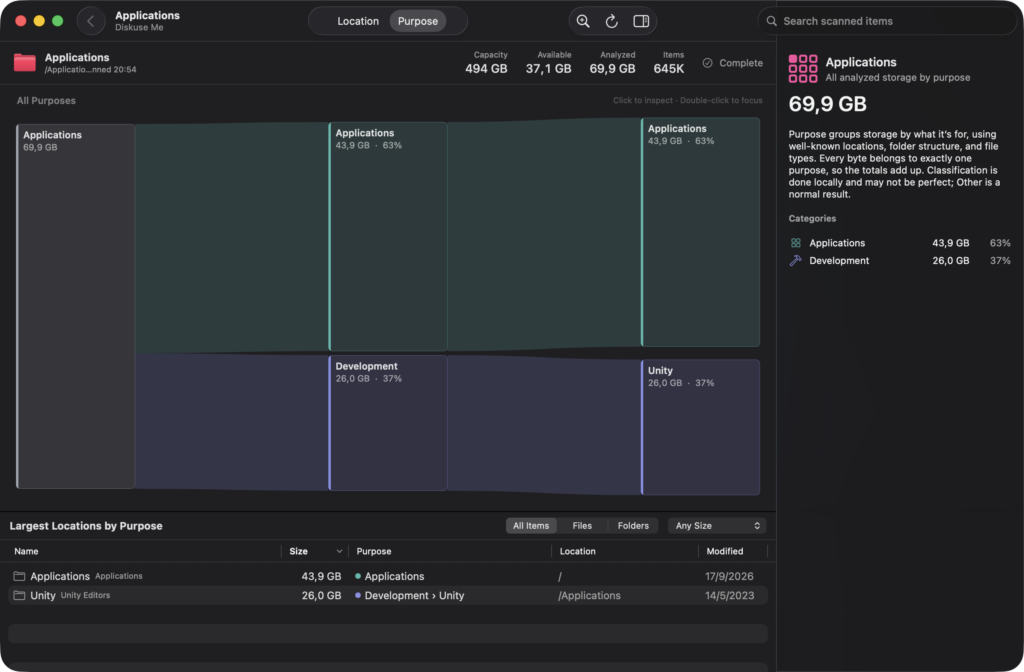
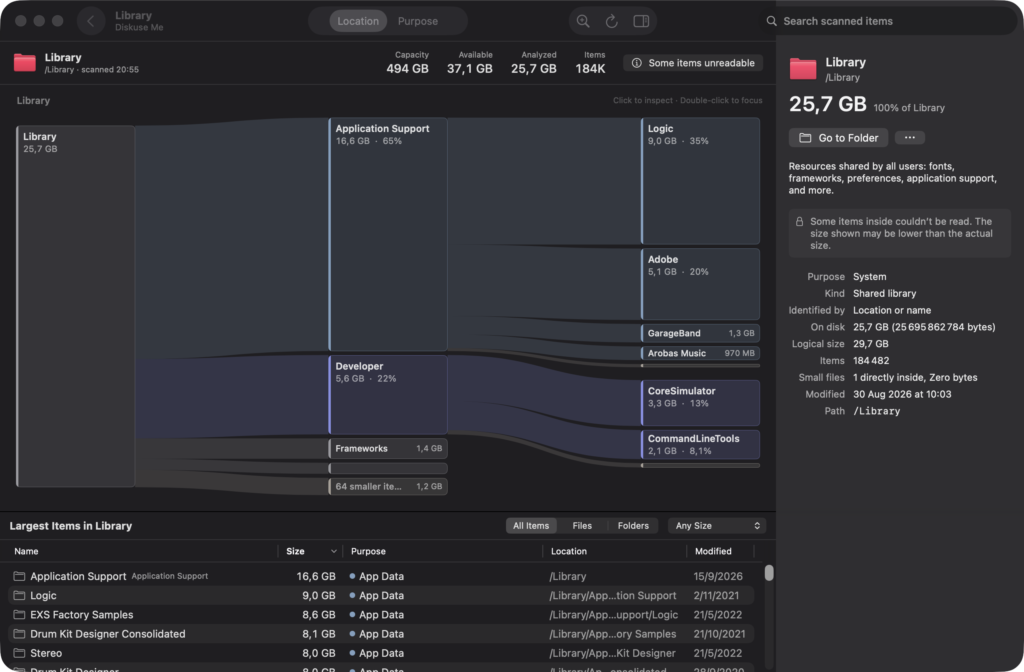
I’ve tried a few great apps to analyze space as well, but nothing did that categorization as well as LLM did. So I decided to create the Diskuse Me app – that would take the simplified pattern of space categorization and show it visually in a clear Sankey diagram.
This app doesn’t delete anything itself, it merely points to places that you could clean on your Mac to free up space, and then leaves it up to you to do the delete action.
Features:
Diskuse Me is a native macOS storage analyzer that helps you understand what is taking up space on your Mac.
Explore your disk in two ways:
• Location — see which folders and files use the most space.
• Purpose — see storage grouped by what it is for: development, applications, app data, media, caches, system data and more.
A clear Sankey map makes large storage flows easy to spot. Diskuse Me can also recognize common developer data from tools such as Xcode, Unity and Docker and explain what you are looking at.
Diskuse Me is read-only. It does not delete, move or modify your files. Analysis happens locally on your Mac, with no account, analytics or telemetry.
When you find something worth investigating, use Go to Folder to reveal it in Finder and decide what to do yourself.
Some protected macOS locations may require Full Disk Access for a more complete scan.